NMEA 2000 uses a simple, reliable backbone layout that connects your marine electronics seamlessly. It involves running a main cable with T-connectors for devices like GPS, depth sounders, and displays, plus terminators at each end. Proper setup includes organized wiring, secure connections, and stable power. To keep your system working smoothly, check connections regularly and troubleshoot using specialized tools. Continue exploring to learn how to expand and troubleshoot your NMEA 2000 network effectively.

Get sports gear delivered free — and shop member deals
- Fast, free delivery on millions of items
- Access to Prime Big Deal Days deals on October 6–7
- Prime Video, Amazon Music and more included
Key Takeaways
- Use a main backbone cable with proper connectors, terminators at each end, and secure T-connectors for device integration.
- Maintain organized, tidy wiring, avoid sharp bends, and ensure proper grounding for signal integrity.
- Power the network consistently from the boat’s battery, checking voltage and connections regularly.
- Verify device connections with testing tools like NMEA 2000 Power Probes and network analyzers.
- Troubleshoot issues by inspecting connectors, terminators, and power supplies, and expand the network with compatible segments.
As an affiliate, we earn on qualifying purchases.
What Is NMEA 2000 and Why Is It Essential for Marine Electronics?

NMEA 2000 is a standardized communication protocol that connects marine electronic devices, allowing them to share data seamlessly. This system enhances marine communication by enabling different devices—like GPS, depth sounders, and autopilots—to exchange information quickly and reliably. It simplifies digital integration onboard, reducing the need for multiple cables and complex wiring. With NMEA 2000, you get a unified network that improves system performance and makes troubleshooting easier. This protocol supports real-time data sharing, ensuring your marine electronics work together efficiently. Its robust design withstands harsh marine environments, giving you confidence in your vessel’s electronic systems. Additionally, network reliability is a key benefit, as the protocol is designed to maintain stable connections even in challenging conditions. Proper system configuration and regular maintenance further enhance the overall stability and performance of your network. Understanding the protocol standards helps ensure compatibility and future-proofing your marine electronics setup. Moreover, having a clear understanding of standardized communication protocols can simplify troubleshooting and expandability. For example, the widespread adoption of NMEA 2000 contributes to the interoperability of devices from different manufacturers, making upgrades more straightforward. Overall, NMEA 2000 streamlines connectivity, making your navigation and control systems more reliable, integrated, and easier to manage.
As an affiliate, we earn on qualifying purchases.
The Backbone Layout: Components and How They Fit Together

Understanding the core components of the backbone layout helps you see how your marine electronics connect seamlessly. You’ll learn how the main cables, connectors, and terminators work together to create a reliable network. Proper connection and wiring are vital to guarantee your system stays stable and functional. Additionally, implementing automation, monitoring, and debugging practices ensures ongoing system reliability and simplifies troubleshooting. Regularly inspecting and testing connections can prevent potential failures and maintain optimal performance over time. Incorporating system security measures further protects your network from unauthorized access and interference. Emphasizing network topology ensures that the layout remains scalable and adaptable to future upgrades.
Core Components Overview
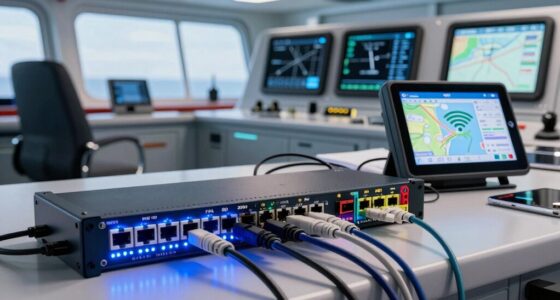
The backbone layout in NMEA 2000 systems serves as the central framework that connects all core components, guaranteeing seamless communication across your marine network. The main components include Micro/CAN cables, T-connectors, and power supplies, which work together to maintain reliable data flow. Proper cable management helps prevent tangling and damage, while effective power distribution ensures consistent operation. The backbone acts as the highway for data, supporting both communication and power needs. Here’s a quick overview:
| Component | Function | Key Benefit |
|---|---|---|
| Micro/CAN Cables | Data transmission | Reliable communication |
| T-Connectors | Connecting devices | Easy network expansion |
| Power Supplies | Power distribution | Stable system operation |
Additionally, understanding signal integrity is crucial for maintaining optimal performance across your network. Maintaining proper terminations at the ends of the backbone can significantly improve data reliability and reduce noise.
Connection and Wiring
Connecting your marine devices with the backbone layout involves carefully arranging the Micro/CAN cables, T-connectors, and power supplies to form a reliable network. Use the correct connector types, such as Micro or Mini connectors, to guarantee secure connections. When wiring, follow best practices like keeping cables tidy, avoiding sharp bends, and maintaining proper termination at the network ends. Make sure each T-connector fits snugly, and that power supplies are properly connected to assure consistent voltage. Proper wiring minimizes signal loss and prevents communication issues. Always refer to the manufacturer’s guidelines for specific connector types and wiring configurations. Additionally, employing proper wiring techniques helps ensure a stable and durable network. Paying attention to connector compatibility is crucial for maintaining a robust connection. Ensuring correct termination at the network ends also helps prevent data transmission errors. Using proper grounding practices further enhances signal integrity and reduces noise in the network. Employing proper shielding methods can also help reduce electromagnetic interference and improve overall network stability. With careful attention to connection points and adherence to wiring best practices, your NMEA 2000 backbone will deliver reliable data transfer across your marine network.
As an affiliate, we earn on qualifying purchases.
Set Up Your NMEA 2000 Backbone on Your Boat
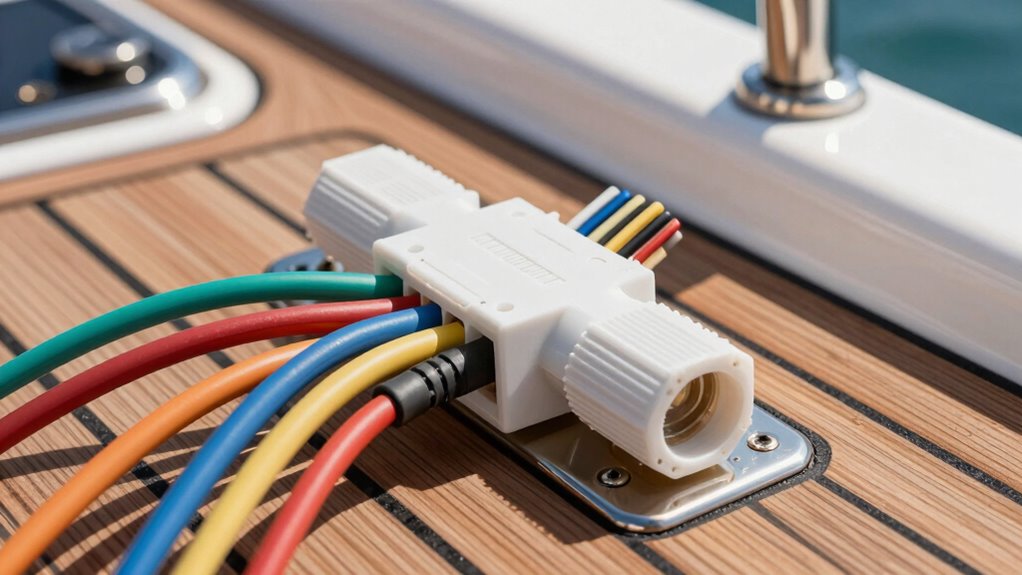
Setting up your NMEA 2000 backbone on your boat involves organizing and connecting the main communication line that links all your devices. Follow cabling standards to guarantee reliable data transfer and prevent issues. Use a backbone cable with proper connectors and place a terminator at each end to reduce signal reflections. Power management is critical; supply consistent power to the network through a power cable connected to your boat’s battery. Keep your backbone organized to avoid tangles and ensure easy troubleshooting. Additionally, adhering to cabling standards helps maintain the integrity of the data transfer and system reliability. Incorporating proper grounding techniques further enhances system stability and reduces potential electrical interference. Ensuring adequate power distribution is essential for consistent device operation and network stability. Regular inspection and maintenance of your connections can help prevent system failures and prolong the lifespan of your setup. Paying attention to system components and their placement ensures optimal performance and ease of access for future upgrades.
As an affiliate, we earn on qualifying purchases.
How to Connect Sensors, Meters, and Displays to the Backbone

To connect sensors, meters, and displays to your NMEA 2000 backbone, start by selecting the appropriate T-connector for each device. Proper sensor integration guarantees reliable data flow, so choose T-connectors compatible with your devices. Connect each sensor or meter to the backbone using a T-connector, then secure the connection with a protective cap. For displays, consider display placement carefully; position them where you can easily view data without cluttering your boat’s layout. Use drop cables to connect displays to the backbone, ensuring tight, secure connections. Keep cables organized to prevent interference or accidental disconnections. This setup allows seamless data sharing across your network, making sensor integration smooth and display placement strategic for ideal visibility and usability.
How to Verify Your NMEA 2000 Network Is Working Properly

To guarantee your NMEA 2000 network is functioning correctly, start by checking all your connections for tightness and proper placement. Then, use the right testing tools to verify data flow and identify any issues. Confirming these points helps keep your system reliable and running smoothly. Additionally, consulting home soundproofing tips can help reduce noise disturbances that might interfere with your system’s performance.
Check Network Connections
Before troubleshooting your NMEA 2000 network, ensuring that all connections are secure and properly configured is vital. Check your cable management to confirm cables are connected firmly without damage or loose fittings. Properly routed and secured cables prevent disconnections and signal issues. Next, verify the power supply is functioning correctly; a stable power source guarantees the network operates smoothly. Look for any signs of corrosion or damage at connection points, as these can disrupt communication. Make sure the backbone is continuous and that all T-connectors and drop cables are securely attached. A well-managed cable setup minimizes interference and connection problems. Confirm that each device is powered and that the NMEA 2000 power supply is providing consistent voltage. Maintaining proper connections is essential for reliable data transfer and overall network stability. Additionally, regularly performing technical audits can help identify potential issues before they cause network failure. Ensuring proper network configuration according to manufacturer specifications also plays a crucial role in maintaining a robust system. Paying attention to connection quality can prevent many common issues related to signal integrity and network reliability.
Use Proper Testing Tools
Using proper testing tools is essential for verifying that your NMEA 2000 network functions correctly. These tools help you perform network diagnostics, identify issues, and ensure all devices communicate properly. A reliable NMEA 2000 tester can quickly detect wiring faults, power problems, and data errors. Keep in mind, not all testing tools are equal—invest in a quality device designed for marine networks. Here’s a quick overview of common testing options:
| Tool Type | Purpose | Benefit |
|---|---|---|
| NMEA 2000 Power Probe | Check power and network integrity | Identify power issues |
| Network Analyzer | Diagnose data flow | Detect communication errors |
| Multimeter | Measure voltage and continuity | Confirm wiring connections |
| Diagnostic Software | Analyze network performance | Identify faulty devices |
| T-connector Tester | Test connector integrity | Prevent connection failures |
Using these testing tools guarantees your network remains reliable and efficient. Proper network setup is critical for optimal performance and longevity of your marine electronics. Additionally, understanding proper testing procedures can help you troubleshoot issues more effectively and maintain a robust network.
Tips for Keeping Your NMEA 2000 Network Running Smoothly
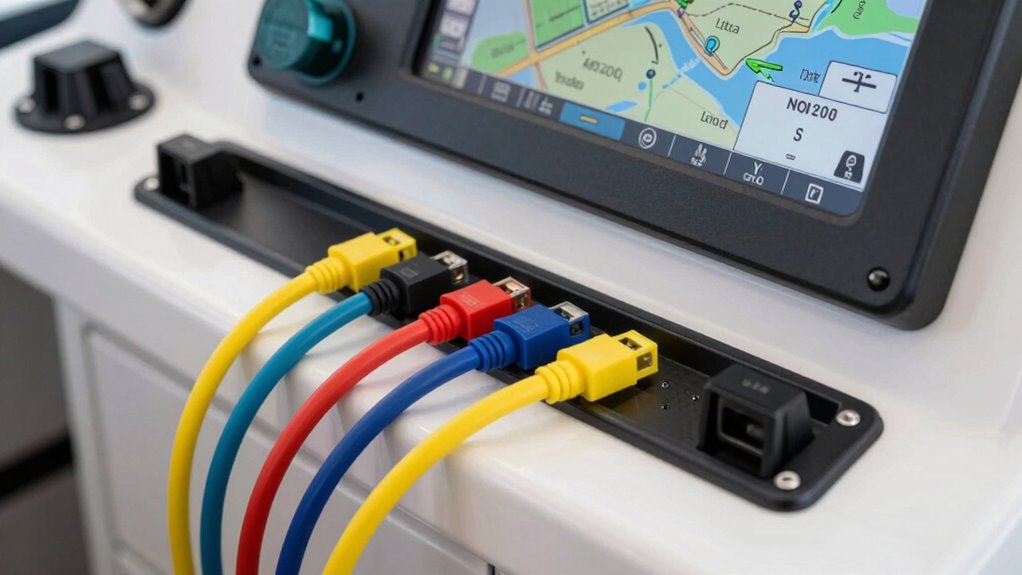
Keeping your NMEA 2000 network running smoothly requires regular attention to its connections and components. Good cable management is essential to prevent tangles and accidental disconnections, which can cause network issues. Use properly labeled cables and secure connections to avoid wear and tear. Make certain your power supply is stable and sufficient for your network’s needs; an inconsistent or weak power source can lead to communication failures. Regularly inspect connections for corrosion or damage, especially in harsh marine environments. Keep connections tight and protected from moisture. Using quality connectors and avoiding unnecessary splices helps maintain signal integrity. By organizing cables neatly and maintaining a reliable power supply, you minimize potential trouble spots, ensuring your network stays reliable and performs at its best during every voyage.
Troubleshooting Common NMEA 2000 Backbone Issues
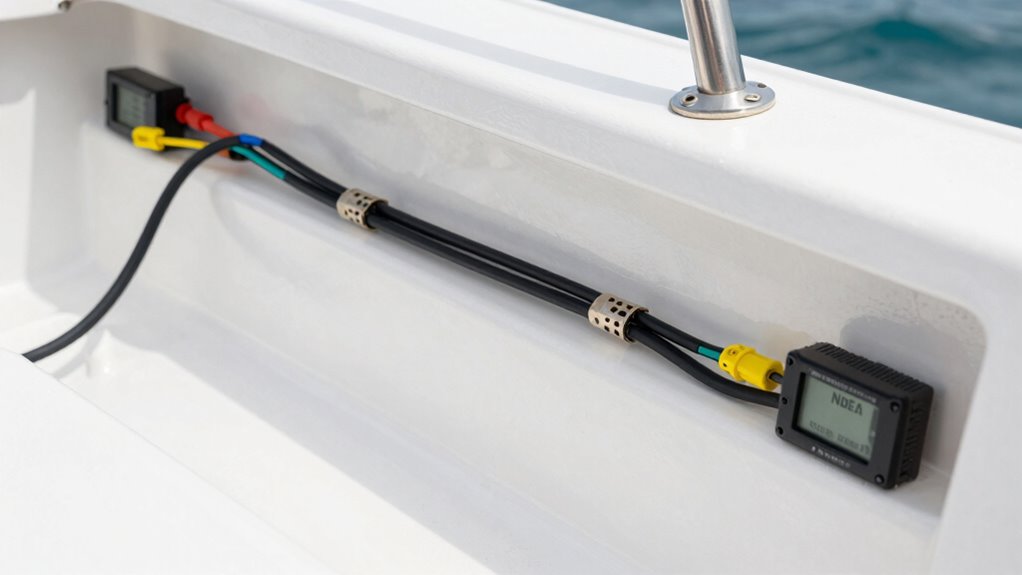
Even with careful cable management and regular maintenance, backbone issues can still arise that disrupt your NMEA 2000 network. When troubleshooting, focus on circuit troubleshooting and power management. Common problems include poor connections, faulty terminators, or power supply issues. To diagnose, check for:
Backbone issues often stem from poor connections, faulty terminators, or power supply problems despite proper cable management.
- Loose or damaged connectors causing communication failures
- Improper termination or missing terminators affecting signal integrity
- Power supply problems leading to device malfunctions or network drops
Ensure your power management is solid by verifying that the power supply provides consistent voltage and current. Use a multimeter to test connections and identify voltage drops. Maintaining good circuit troubleshooting habits helps keep your backbone reliable and minimizes downtime.
Expanding Your NMEA 2000 System: Adding Segments and Extensions
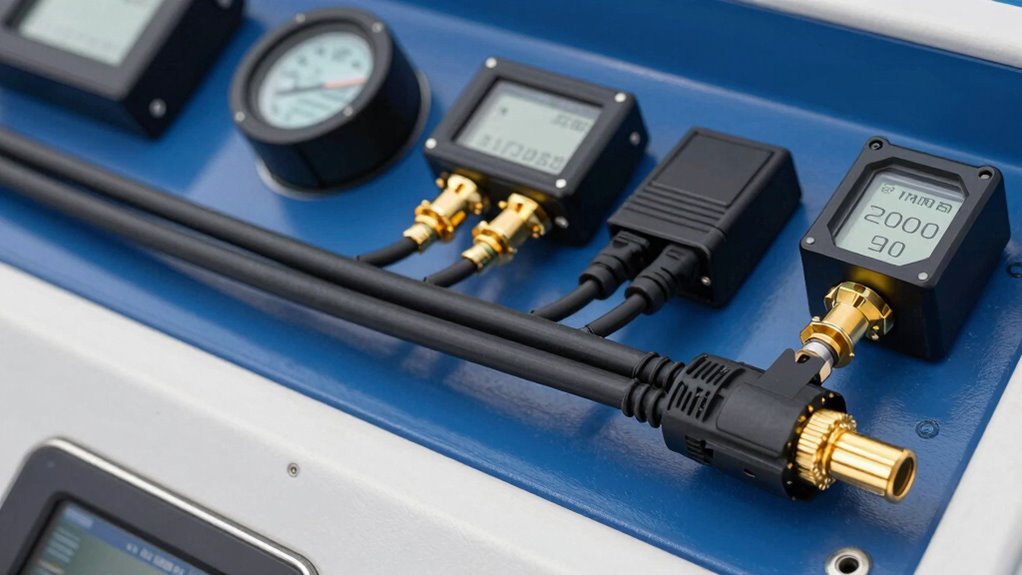
Expanding your NMEA 2000 system allows you to add more devices and improve data sharing across your boat. To do this effectively, consider segment expansion by adding additional backbone segments where needed. You can connect these segments using T-connectors, extending the network without disrupting existing connections. Extension integration is vital when your system outgrows the original backbone; choose compatible extension cables to link new devices seamlessly. Keep in mind that each segment should include a terminating resistor at both ends to maintain signal integrity. When adding segments, ensure all connections are secure and correctly placed. Proper planning of segment expansion and extension integration helps you build a scalable, reliable network that supports your growing array of marine electronics.
Frequently Asked Questions
Can I Upgrade My NMEA 2000 Backbone Later?
Yes, you can upgrade your NMEA 2000 backbone later. You’ll want to plan for Backbone expansion by adding new T-connectors and cabling as needed. Network upgrading is straightforward since the system is designed for modularity. Just verify your existing components are compatible with the new devices, and follow proper connection procedures to maintain network integrity. Expanding your backbone allows you to add sensors, displays, or other devices easily.
What Are the Power Requirements for NMEA 2000 Devices?
NMEA 2000 devices typically require a 12 or 24-volt power supply, with power specifications usually around 1 watt per device. For proper power distribution, guarantee your backbone includes a power source capable of handling the total load of all connected devices. Use a power cable with appropriate gauge wiring, and connect devices according to manufacturer instructions to maintain reliable operation and prevent power issues on your network.
How Does NMEA 2000 Compare to Other Marine Networking Standards?
Imagine a smooth, well-orchestrated symphony—NMEA 2000 stands out in marine networking by offering a reliable, plug-and-play standard that simplifies connections. Compared to other marine networking standards, it’s more robust, flexible, and easier to expand. You’ll find it’s designed for seamless data sharing, reducing complexity and improving system integration. Its standardized, open architecture makes it a preferred choice for boaters seeking dependable, future-proof communication across all their marine devices.
Is Special Training Needed to Install NMEA 2000 Systems?
You don’t necessarily need certified training to install NMEA 2000 systems, but having installation skills definitely helps guarantee a reliable setup. While basic knowledge might suffice for simple installations, certified training can teach you best practices, troubleshooting, and safety procedures. This can save you time and prevent issues later. If you’re unfamiliar with marine wiring or networking, investing in certified training is a smart move to confidently handle your NMEA 2000 installation.
What Safety Precautions Should I Take During Installation?
During installation, you should prioritize cable safety by avoiding pinched or damaged cables, which can cause shorts or failures. Always follow grounding precautions to prevent electrical shocks and system malfunctions. Use proper tools and wear safety gear, like gloves and eye protection. Keep cables organized and away from sharp edges or heat sources. Double-check connections before powering on the system to guarantee everything is secure and safe.
Conclusion
Now that you understand the basics of NMEA 2000, you’re ready to set up a reliable marine network. Did you know that over 70% of boaters say integrated systems improve safety and convenience? By following simple steps and tips, you’ll keep your system running smoothly and expand it effortlessly. With NMEA 2000, you’ll enjoy seamless data sharing and better navigation—making every voyage safer and more enjoyable.
NFL season / tailgating Picks
team gear
As an affiliate, we earn on qualifying purchases.