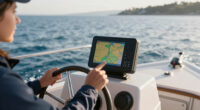
Use this guide to set up a marine GPS navigation system, plan a route, and follow it safely while underway. It is written for recreational boaters who are new to GPS navigation or need a practical refresher. Allow 30–60 minutes to review the equipment and prepare a route; time on the water depends on the trip. A GPS provides position and navigation information, but you remain responsible for safe vessel operation and checking your surroundings.

Get sports gear delivered free with Prime
- Fast, free delivery on millions of items
- Prime Video, Amazon Music and more included
- Member-only deals all year

Garmin ECHOMAP UHD2 94sv Chartplotter with GT56 Transducer
- ✔ Display: 9-inch sunlight-readable touchscreen
- ✔ Transducer: GT56-TM
- ✔ Sonar: Traditional, ClearVü, and SideVü

Simrad GO9 Chartplotter and Fish Finder with HDI Transducer and C-MAP Discover Charts
- ✔ Display: GO9 multifunction display
- ✔ Navigation: Built-in GPS
- ✔ Included chart card: C-MAP Discover

Garmin GPSMAP 79sc Marine Handheld GPS with BlueChart g3 Coastal Charts
- ✔ Display: 6-inch color display, 240 x 400 resolution
- ✔ Water resistance: IPX6, unit level only
- ✔ Maps: Preloaded BlueChart g3 coastal charts
Difficulty: Beginner | Time: 30–60 minutes for setup and route planning
What You’ll Need
Tools & Materials:
- Marine GPS chartplotter or handheld GPS with current nautical charts
- Vessel power supply or charged batteries
- Compass and paper chart or independent backup navigation method
- Vessel and destination details, including draft and planned route
Knowledge:
- Basic boat handling and local navigation rules
- How to identify the vessel’s position, heading, and speed on the display
Read the device manual for its controls, chart settings, alarms, and route functions. Check that charts cover your whole trip. A GPS position depends on satellite reception and does not show every hazard in real time; use official notices, local knowledge, visual observations, and other navigation aids as appropriate.
Garmin ECHOMAP UHD2 94sv Chartplotter with GT56 Transducer
For boaters who want navigation and fishing information together at the helm, the ECHOMAP UHD2 94sv makes the most balanced case in this group. Its 9-inch touchscreen is sunlight-readable, and the included Garmin Navionics+ coastal charts give this fixed chartplotter a ready-to-use navigation foundation. The GT56-TM transducer adds traditional sonar plus ClearVü and SideVü, giving us multiple ways to interpret what is below and beside the boat. That combination makes it a more complete fishing-oriented helm choice than the Simrad GO9, whose included transducer supports CHIRP and DownScan but whose description does not specify side-view sonar.Wireless sharing is useful when another ECHOMAP UHD2 is aboard: sonar data, waypoints, and routes can move between the compatible chartplotters. That can help keep information coordinated across displays, but it is not a general promise of compatibility with every marine device. Compared with the handheld GPSMAP 79sc, the ECHOMAP is clearly intended as an installed, larger-screen system with an included transducer, not a portable backup. We should choose it when fixed chartplotting and broad sonar coverage matter most. Its drawbacks are the installation-focused form and the fact that the supplied information does not establish radar support or a handheld fallback; buyers prioritizing those needs may prefer the Simrad’s stated radar-system support or the GPSMAP’s portability.
Pros:
- Sunlight-readable 9-inch touchscreen
- Includes Garmin Navionics+ coastal charts
- GT56-TM supports traditional, ClearVü, and SideVü sonar
- Wi-Fi sharing of routes, waypoints, and sonar data with another ECHOMAP UHD2
Cons:
- Fixed chartplotter setup is less suited to portable or handheld use
- Wireless sharing is specified for another compatible ECHOMAP UHD2, not every device
- The provided details do not establish radar capability
Best for: Boaters setting up a fixed helm display who want coastal charts and several sonar views from an included transducer.
Not ideal for: Buyers who need a pocketable backup GPS, or who specifically want stated radar-system support in the same multifunction display.
Bottom line: We recommend the ECHOMAP UHD2 94sv for a fixed helm where coastal charting and multiple sonar views are the priority.
“We recommend the ECHOMAP UHD2 94sv for a fixed helm where coastal charting and multiple sonar views are the priority.”
Simrad GO9 Chartplotter and Fish Finder with HDI Transducer and C-MAP Discover Charts
The Simrad GO9 is a strong alternative when we want a multifunction screen for a sportboat, center console, or smaller cruiser. Built-in GPS, the included C-MAP Discover chart card, and an HDI transducer bring navigation and sonar into one package. Its CHIRP sonar and DownScan Imaging cover useful fish-finding tasks, while Wi-Fi mirroring to a phone or tablet offers another way to view the display. That mix gives the GO9 a wider helm-system role than the handheld GPSMAP 79sc, which concentrates on portable navigation rather than transducer-based sonar.Compared with the ECHOMAP UHD2, the GO9’s clearest distinction is its stated radar support and its chart package, which specifies coverage in the US and Canada. Radar support should not be mistaken for included radar hardware: options may be required, so we should confirm the components and compatibility needed for a planned installation. The Garmin fixed display has the more detailed stated sonar lineup, including SideVü; the GO9 instead pairs CHIRP with DownScan. This makes the Simrad a sensible choice for smaller-boat owners who value its particular combination of charting, sonar, and room to expand. Its limits are that the supplied description does not specify a screen size or radar hardware, and its intended boat range may not meet the needs of a larger vessel.
Pros:
- Combines built-in GPS navigation and fish-finding functions
- Includes C-MAP Discover charts with stated US and Canada coverage
- HDI transducer supports CHIRP sonar and DownScan Imaging
- Wi-Fi supports mirroring the display to a smartphone or tablet
Cons:
- Radar support may require additional radar options
- Designed for smaller boats and may not suit larger vessels
- The provided specifications do not state a display size
Best for: Owners of sportboats, center consoles, and smaller cruisers who want GPS, included charts, sonar, and possible radar-system expansion.
Not ideal for: Owners of larger vessels, buyers seeking included radar hardware, or anyone who specifically wants stated SideVü sonar.
Bottom line: We would choose the GO9 when its smaller-boat fit, included C-MAP package, and potential radar-system support line up with the installation.
“We would choose the GO9 when its smaller-boat fit, included C-MAP package, and potential radar-system support line up with the installation.”
Garmin GPSMAP 79sc Marine Handheld GPS with BlueChart g3 Coastal Charts
The GPSMAP 79sc serves a different navigation job from the two fixed displays: it is a floating handheld GPS with preloaded BlueChart g3 coastal charts. That makes it the most portable choice here and a useful candidate for a small craft, trips where we need a receiver in hand, or a backup alongside a helm chartplotter. Its sunlight-readable 6-inch color display, fogproof and scratch-resistant glass, and support for multiple satellite systems help make the device practical in marine conditions. It stores up to 10,000 waypoints and 250 routes, so it can retain a substantial collection of navigation markers and planned journeys.Compared with the ECHOMAP UHD2 and Simrad GO9, this Garmin does not come with a transducer or offer the listed fixed-display sonar combinations. We should view it as a portable navigation tool, not a replacement for the sonar-equipped systems. A tilt-compensated electronic compass and barometric altimeter add orientation and environmental information, while USB is the listed connection. The tradeoff is endurance and water protection: battery life is specified as up to 20 hours in GPS mode, and the IPX6 rating applies to the unit level only. Buyers expecting a permanently installed helm system, expansive screen detail, or sonar integration should move up to one of the chartplotters; those needing a portable, floating option will find the 79sc’s role more compelling.
Pros:
- Floating handheld design for portable marine use
- Preloaded BlueChart g3 coastal charts and support for multiple satellite systems
- Stores up to 10,000 waypoints and 250 routes
- Includes a tilt-compensated electronic compass and barometric altimeter
Cons:
- IPX6 water resistance is specified for the unit level only
- Battery life is up to 20 hours in GPS mode
- No transducer-based sonar is listed
Best for: Boaters who need a portable marine GPS for a small craft, on-deck navigation, or backup to an installed chartplotter.
Not ideal for: Buyers seeking an installed chartplotter with an included sonar transducer or a primary helm display for detailed fishing views.
Bottom line: We recommend the GPSMAP 79sc for portable coastal navigation or backup, rather than as a substitute for a fixed sonar chartplotter.
“We recommend the GPSMAP 79sc for portable coastal navigation or backup, rather than as a substitute for a fixed sonar chartplotter.”
As an Amazon Associate we earn from qualifying purchases.
Before You Start
Check the marine forecast, tides, current, and local navigation notices before planning. Confirm that the intended route fits your vessel’s draft, operating limits, and fuel range. Keep a lookout throughout the trip, follow applicable navigation rules, and do not operate the display in a way that distracts you from the water. If conditions make the route unsafe, delay or change the trip.
Step-by-Step Instructions
Step 1: Power on and inspect the GPS
Turn on the chartplotter or handheld GPS and allow it to acquire a satellite position. Check the displayed position, time, and any satellite or accuracy indicator. Set the device’s units and time format to values you can read easily, and confirm the chart datum and position format match your charts or other navigation references.
Tip:Acquisition may take longer after the device has been off or moved a long distance. Keep an unobstructed view of the sky where practical, and do not treat an old or low-accuracy position as current.
Check: The display shows a current position with a valid fix, and its units and position format are clear.
Step 2: Check the chart and vessel settings
Open the chart for your operating area and zoom in enough to see channels, shoals, rocks, restricted areas, aids to navigation, and depth information. Enter or confirm the vessel’s draft and any available GPS antenna offset or boat dimensions that affect the device’s calculations. Compare chart coverage and scale with another reliable navigation reference.
Tip:Charted depths and positions can have limits or age-related inaccuracies. Account for tide, squat, and under-keel clearance using suitable local information; do not rely on a single depth reading or screen symbol.
Check: Your location appears in the correct chart area, and the chart displays relevant hazards and aids at a readable scale.
Step 3: Plan a route before departure
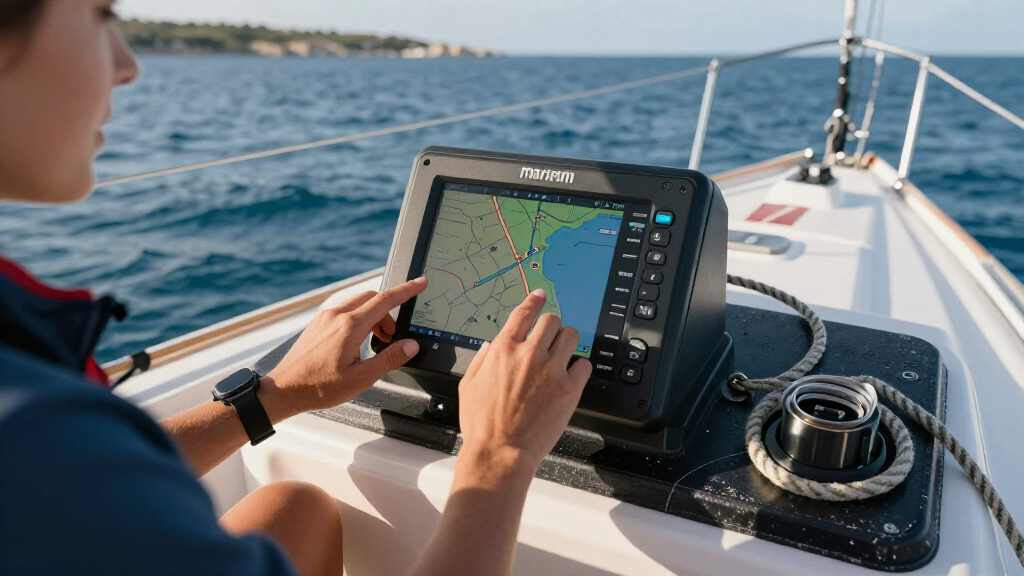
Select the destination on the chart, then create a route using waypoints through safe, navigable water. Place waypoints where you need to change course or verify progress, rather than placing them directly on a hazard or aid. Review every leg at a useful scale, including the approach to the destination, and check the route against charted depths, restricted areas, weather, tides, and your vessel’s limits.
Tip:Automatic routing can suggest a path that is unsuitable for your vessel or current conditions. Treat any automatically generated route as a draft and inspect each segment yourself.
Check: The route follows navigable water, avoids known hazards and restricted areas, and reaches the intended destination.
Open the route details and check leg distances, bearings, estimated arrival information, and any cross-track error settings. Set arrival and off-course alerts to values that give you time to respond without creating excessive alarms. Confirm the GPS uses the correct speed source and that units such as knots, nautical miles, and feet or meters are understood by the operator.
Tip:Estimated times are only planning aids. They can change with speed, current, wind, and maneuvering.
Check: You can identify the next waypoint, the intended course, the distance remaining, and the meaning of each enabled alert.
When ready to depart, select the planned route and choose the command to begin navigation. Verify that the active leg points toward the correct next waypoint. Compare the GPS position and heading information with a compass, visual landmarks, or another independent method before relying on the route display.
Tip:A GPS course over ground is the direction the vessel has moved across the earth; it may differ from the bow’s heading, especially in wind or current.
Check: The intended route is active, the next waypoint is correct, and independent references broadly agree with the displayed position.
Step 6: Monitor the route while underway
Keep a lookout and check the chartplotter regularly for position, cross-track error, next waypoint, speed, and nearby hazards. Adjust the zoom so you can see both the route ahead and enough surrounding chart to understand the area. Slow down or stop navigation adjustments when vessel handling or traffic demands your attention.
Tip:Do not steer by a line on the display alone. Confirm the safe course visually and with the compass, and follow aids to navigation and local rules.
Check: Your actual track remains consistent with the safe planned route, and you can identify the next waypoint and nearby hazards.
Step 7: Respond to a deviation or lost position fix
If an off-course alarm sounds, first assess traffic, weather, depth, and immediate hazards. Determine whether the vessel is safely off the planned track, then correct course or revise the route as conditions require. If the GPS loses its fix or shows an implausible position, switch to your backup method, maintain safe vessel control, and troubleshoot only when it is safe to do so.
Tip:Do not blindly follow a recalculated route. Inspect new legs before steering toward them.
Check: You have a credible position from the GPS or backup method and a safe course that accounts for current conditions.
Step 8: Confirm arrival and save or clear the route
As you approach the destination, zoom in and verify the approach against local hazards, depth, traffic, and visual references. Confirm arrival using the device’s waypoint cue and your observations. After securing the vessel, save any useful track or route, then clear active navigation if you no longer need it.
Tip:Arrival alarms can trigger before the vessel is physically at a dock or mooring. Use them as cues to begin the final approach, not as proof that it is safe to proceed.
Check: You have reached the intended location safely, and the display no longer shows an unintended active route.
Common Mistakes to Avoid
- Following an automatically generated route without reviewing it. — Inspect each route leg at a detailed chart scale and check depths, hazards, restrictions, and vessel limits before departure.
- Assuming the GPS position or chart is perfectly precise and current. — Check fix status, chart information, and independent references; maintain a lookout and allow for position and depth uncertainty.
- Confusing course over ground with the vessel’s heading. — Use a compass for bow direction and interpret GPS course over ground as movement across the earth.
- Entering waypoints too close to hazards or aids. — Place waypoints in safe water with room to maneuver, and inspect the turn and approach around each one.
Troubleshooting
Problem: The GPS has no satellite fix or shows an old position.
Solution: Move the antenna or handheld device to a location with a clearer view of the sky, check power and antenna connections, and wait for acquisition. If a reliable fix does not return, navigate using backup references and follow the device manual.
Problem: The displayed position appears far from the vessel’s known location.
Solution: Check the chart area, datum, coordinate format, and any antenna offset settings. Compare coordinates with an independent source before changing course based on the display.
Problem: The route crosses land, shallow water, or a restricted area.
Solution: Stop using that route as a steering reference. Edit or rebuild the affected legs, check chart scale and coverage, and verify the revised route against current local information.
Problem: The off-course alarm sounds repeatedly in wind or current.
Solution: Check whether the vessel is actually outside safe water or merely moving sideways relative to the planned track. Adjust the route or alert setting only after assessing hazards, and continue to monitor position independently.
What Success Looks Like
The GPS has a current, plausible position; the chart covers the operating area; and the route has been reviewed leg by leg for hazards and vessel limits. While underway, you can identify the next waypoint, monitor progress, respond safely to deviations, and compare GPS information with independent references. Arrival is confirmed by both the device and observations of the destination area.
Next Steps
After the trip, save useful tracks, note any chart discrepancies, and check for chart or device updates before the next outing. Recharge handheld units, inspect power and antenna connections, and replace or refresh backup materials as needed. Repeat the route review whenever conditions, vessel load, destination, or chart information changes.
Frequently Asked Questions
Can I use a marine GPS without an internet connection?
Yes. A GPS receiver can determine position from satellites without internet access, provided it has power and a suitable satellite view. The device needs appropriate chart data stored or available to show marine charts.
Does a GPS chartplotter replace a paper chart or compass?
No. Keep an independent navigation method available and know how to use it. Power loss, equipment failure, poor reception, or incorrect settings can make the display unreliable.
Should I follow the GPS heading or course line?
Use the route line as a planning reference, then steer a safe course based on the compass, vessel handling, traffic, hazards, and conditions. Course over ground can differ from the vessel’s heading because of wind or current.
How often should I check the display while underway?
Check it often enough to monitor the route, position, and hazards, with frequency adjusted for visibility, traffic, speed, and local conditions. Never let screen checks interrupt lookout or safe vessel control.
Halloween Picks
halloween
As an affiliate, we earn on qualifying purchases.